Database Software for Windows

free Volunteer Manager 1 database, easy to use volunteer management database

Home Products Shop Support News Company

Volunteer Manager 1 database template for Organizer Deluxe and Pro users

     > database templates / by subject / Information Managers / Volunteer Manager 1
     > database templates / by users / Volunteer Coordinator / Volunteer Manager 1
     > database templates / by place / Organization / Volunteer Manager 1


Template:

Volunteer Manager 1

Template Number: 1179
Provided: PrimaSoft PC
Platform: Windows
Difficulty: Simple


Three easy ways to download/try Volunteer Manager 1 template:

1. This template if free for Organizer Deluxe or Organizer Pro registered users.
  • Start Organizer Deluxe or Organizer Pro software.
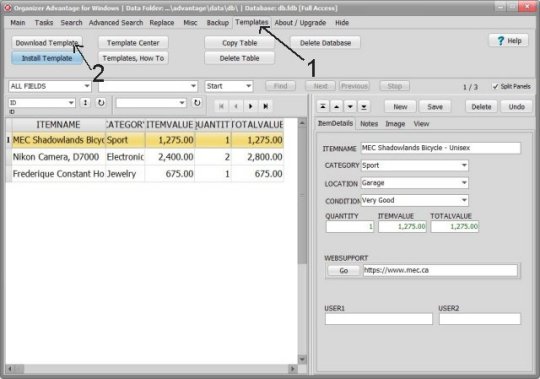
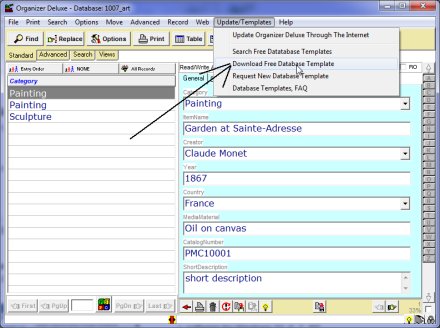
  • Click Update/Download Template main menu command.
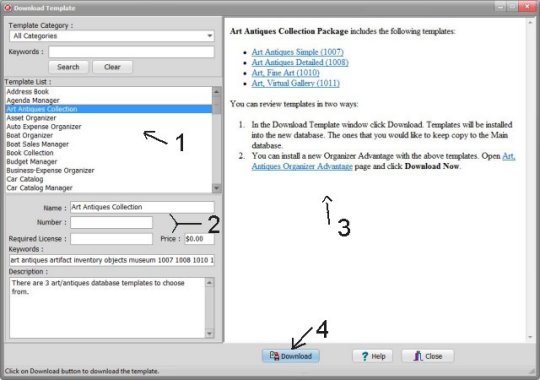
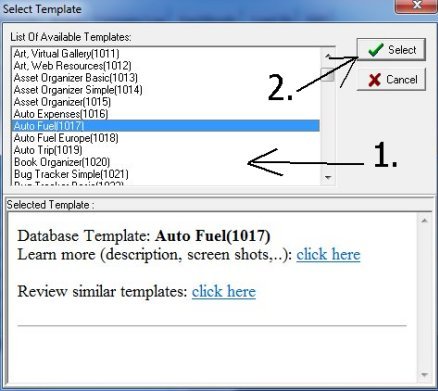
  • Select Volunteer Manager 1 1179 in the List Of Available Templates box.
  • Verify the template number: 1179
  • Click Select button.
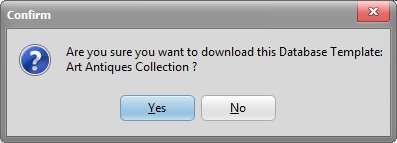
  • Click OK in the Confirm window.
  • Template is downloaded and installed.
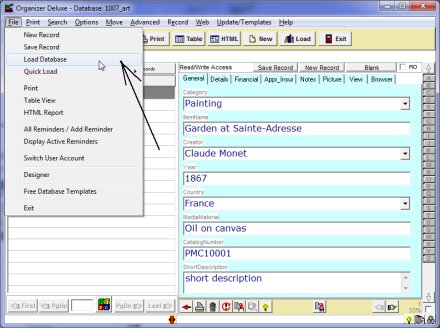
  • To test the template click File/Load menu command. Select the database name in the Available Databases box. The database name is composed of the template number 1179 and 3 letters.
  • NOTE: if you have problems with this procedure (your computer/internet setup does not allow our program to download and install the template): try optional method number 3.
2. Unregistered users (you did not purchase our Organizer Deluxe or Organizer Pro)
3. Optional method; if you are not able to use our built-in Download Template feature
  • Click Download:Volunteer Manager 1 to download the template file.
  • Unzip the database template file into a temporary directory e.g. C:\TEMP
  • Start Designer program
  • Click on Import Database push button in the Designer Main Window
  • Go to the database template file directory e.g. C:\TEMP
  • Select data file. (data.dbf or data_#.dbf, # could be a number: 1, 2, 4, ...)
  • Click on the Open push button
  • Enter the new Name for the imported database in the Create New Database window
  • Click on Exit push button in the Designer Main Window
  • Start Organizer Deluxe program
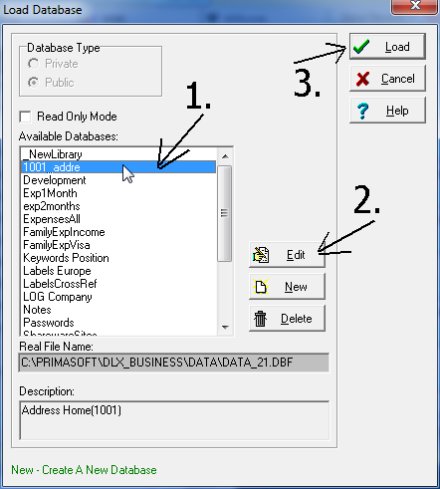
  • Press on the Load push button or click Load Database on the File menu
  • Select the database and click on the Load push button in the Load Database window


Related database templates
Volunteer Attendance/1182,
Volunteer Manager 2/1180,
Volunteer Placement/1181,
Pledge Manager/1199,
Visitor Manager Simple/1177,
,


Related software solutions
Volunteer Manager Database,
Visitor Management Database,
Address Software,
Directory Manager Software,
Event Management Software,
Pim Database Software,


Over 150 free database templates for Organizer Deluxe and Organizer Pro users.


1. How to download a template?


2. What is Organizer Deluxe and Organizer Pro?


3. Request, suggest custom database template

 
Home | Products | Shop | Support | Site Map | Company

Copyright © 1995-2010 PrimaSoft PC, Inc. All rights reserved.