
Organizer Pro Solutions, how to start: > Small Car Dealership Manager, Primer
Question/Topic: Small Car Dealership Manager Pro, how to start?
How to start using Car Dealer Organizer Pro for Windows?
1. Enter car inventory data into Car Inventory database.
2. Enter clients/prospects data into ClientsProspects database.
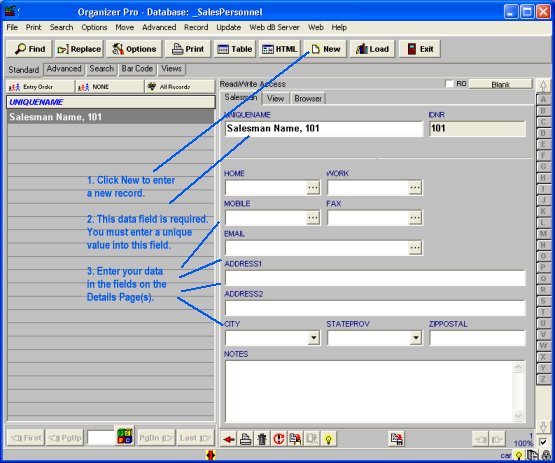
3. Enter sales people data into SalesPersonnel database.
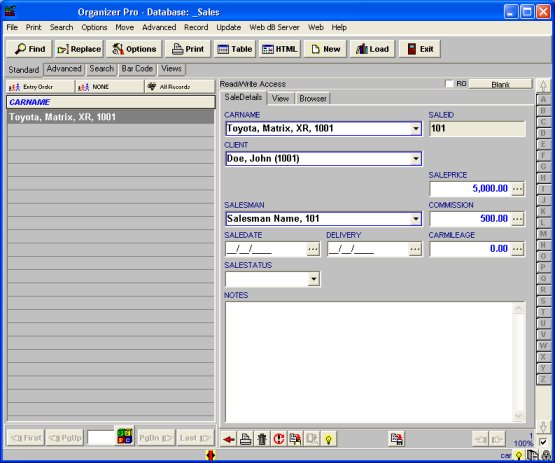
4. Enter car sales data into Sales database.
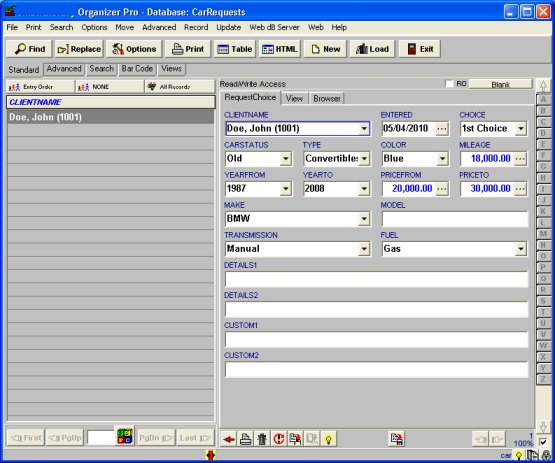
5. Enter car requests data into CarRequests database.
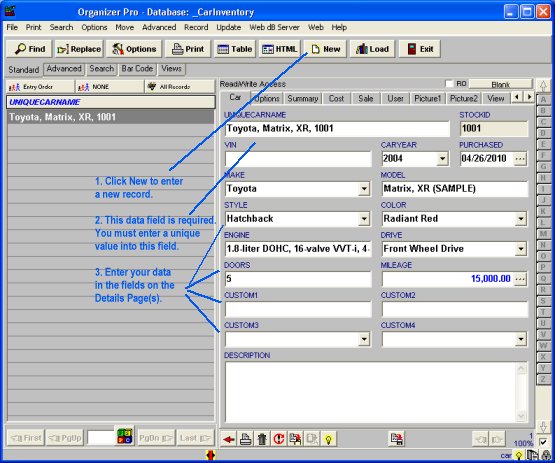
Load Car Inventory database and enter your cars data
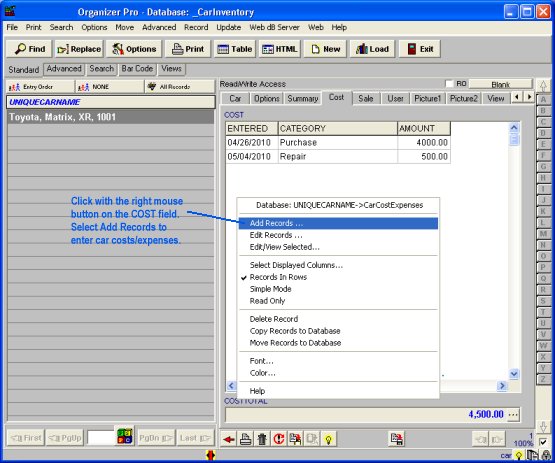
Load Car Inventory database and enter car costs data
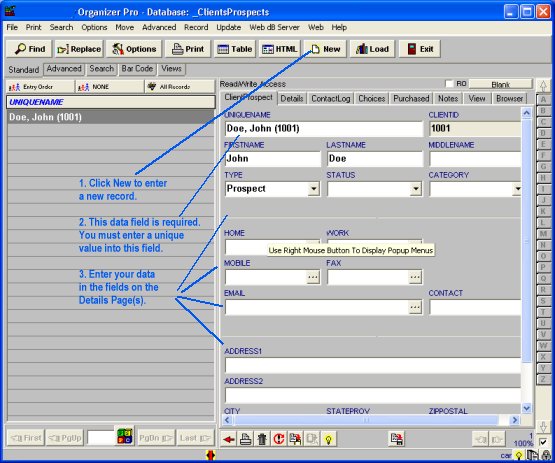
Load Clients/Prospects database and enter clients/prospects data
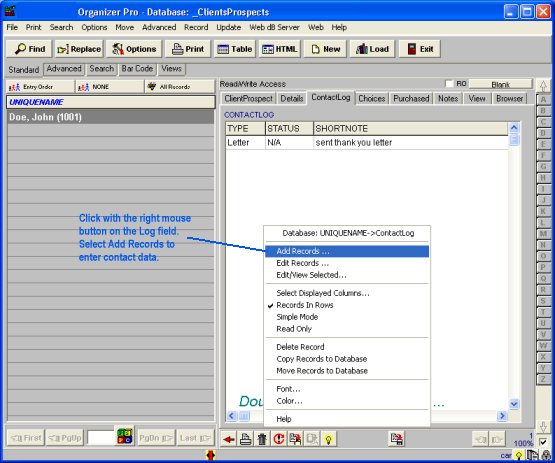
Clients/Prospects database, enter contact activities
Salesman database, enter personnel data
Sales database, enter car sale data
Car Requests database, enter client choices data
Related software (Read/Download) :
Small Car Dealer Manager
Car Salesman Software
Related Topics ...
Related software (Read/Download) :
Small Car Dealer Manager
Car Salesman Software
Employee Phone Directory Manager