How to create a new database with the same structure as a datatabase that already exists.
-
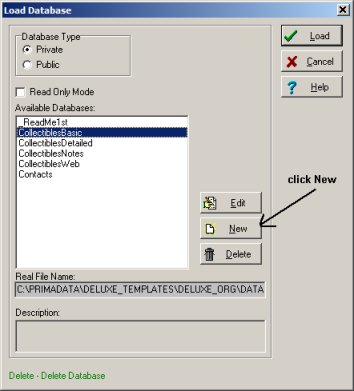
On the File menu, click Load Database.
-
In the Load Database window click New.
-
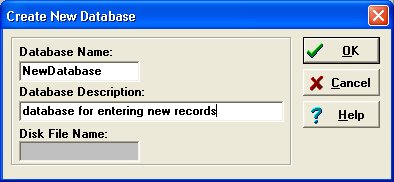
In the Create New Database window enter name in the Database Name box and description in the Database Description box. Click Ok.
-
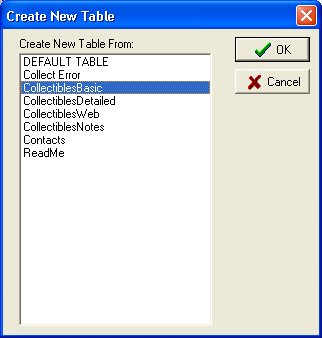
Click (Select) database (table) in the Create New Table From box. This structure will be used in the new database. Click OK.
-
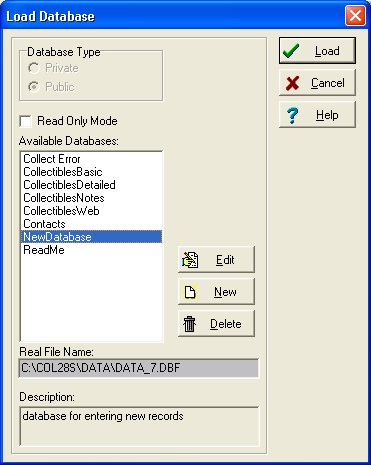
New database (table) is created and listed in the Available Databases box.
Click on the new database and click Load to open it.
|
|