
Library Software FAQ> Loans, Returns >Simple-checking or self-checking
Question/Topic: Does your library software offer simple-checking or self-checking?
Similar questions:
We have students, volunteer beginner librarians that process loans/returns for the library. How can I allow them to process loans/returns in a very simple way?
Check In/Check Out Simple Mode (Self-Checking Mode)
This feature is included in the Library solutions starting with version 2.1 (release date: March, 2009). You can upgrade your library solution: Library Upgrade.
All Library Organizer Pro solutions include separate Check In/Out module.
Check In/Out module can operate in two modes:
Advanced: process multiple items in one transaction, process fines, process renewals, auto processing mode,..
Simple: process loans and returns in an easy way (for students, volunteers; supports self-checking)
Check In/Out Simple Mode how to set it up.
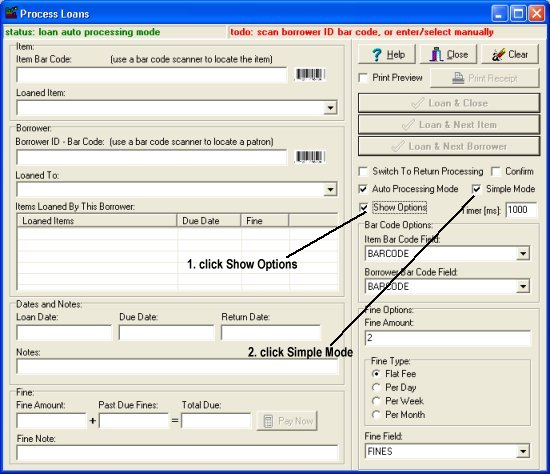
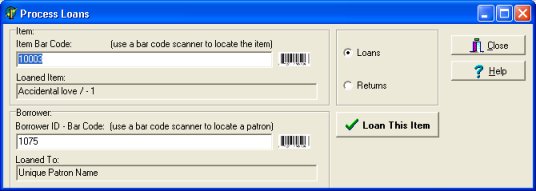
Simple-Checking(Self-Checking) mode supports:
Returns
Loans:
Related software (Read/Download) :
Small Library Organizer Pro
List of Small Library Software
Related Topics ...
How to catalog new library items (good practice)?
How to check database file name and application folder?
Related software (Read/Download) :
Small Library Organizer Pro
List of Small Library Software