
Organizer Deluxe & Organizer Pro Help Center

Topic #:ID-1263
    

Pro Database Solutions> Volunteer Management Software, How to start: > Enter jobs, tasks, events:

Related products ...
Volunteer Tracking System

  
   Question/Topic:
Adding jobs, tasks, assignments.

1. Open Jobs database:
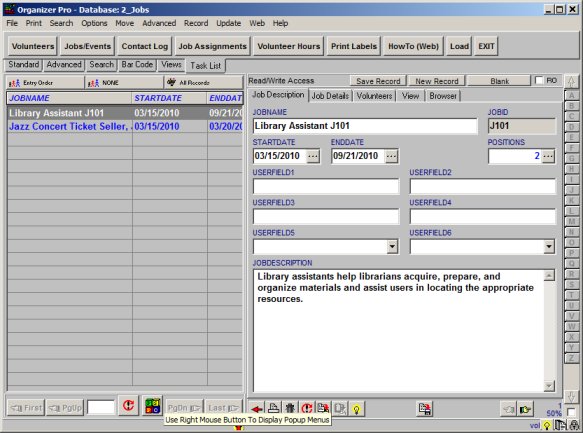
  • On the File menu, click Load Database. Select Jobs database and click Load
  • Click New Record button, enter Job Name, enter additional job/task information.

volunteer software, jobs, tasks


2. Job, Task database: job assignment

  • Click Volunteers tab to display volunteers that are assigned to the job
  • Double-click with the left mouse button on the Volunteers field to assign a new volunteer to a selected job.

Job/Task database, volunteers assigned to a job:

volunteer assign job


Related Topics ...


Related products ...
Volunteer Tracking System


Copyright © PrimaSoft PC, Inc. All rights reserved.