
Library Software FAQ> Auto-Cataloging, Web Search> How to move the web search results to your database, field mapping.
Question/Topic: How to move the web search results to your database (field mapping)?
Field Mapping
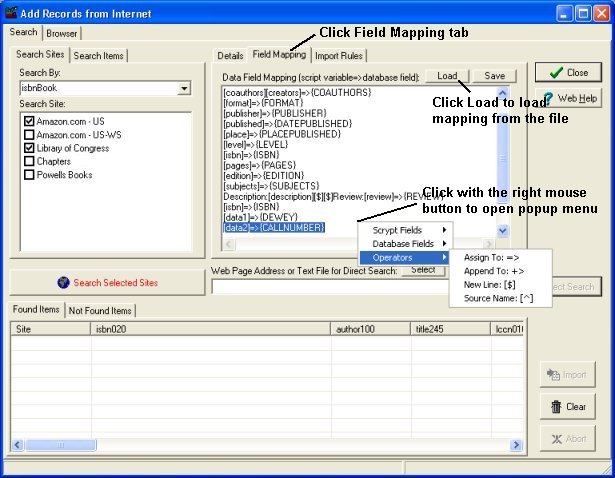
Add records from the Internet, Datata Field Mapping:
Related software (Read/Download) :
Library Software
Church Library Organizer Pro
Related Topics ...
How to import only a group of search results (Import Rules)?
Related software (Read/Download) :
Library Software
Church Library Organizer Pro
Check In/Out Organizer Pro