
/ Check items in and out in quantities / Tour Page: Equipment Tracker Pro TOUR, FEATURES
database software for Windows 8, 7, Vista, XP (Windows 11, 10 compatible)
1. Equipment management solution, databases
Database: Equipment/Tools
Item details entry form (enter only item name, barcode, quantity):
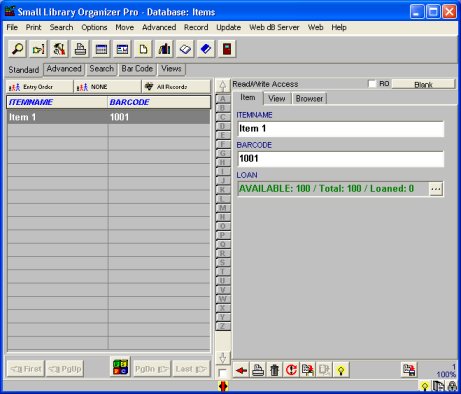
You can customize items database:
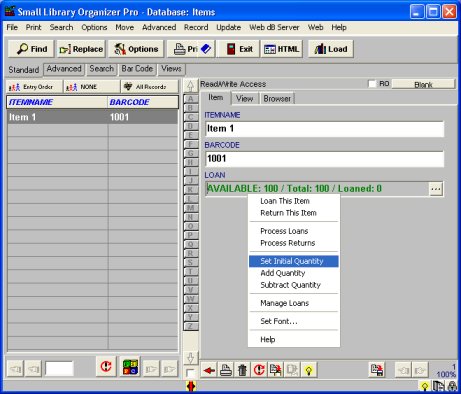
Specialized data field: supports loan/return transaction, displays available quantity, checked out quantity:
Database: Borrowers (employees, job sites, customers,..
Equipment Loan/Return (circulation) database: LOAN
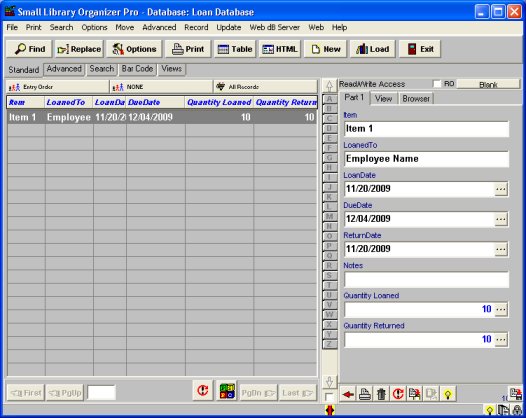
Loan database. Records automatically circulation transactions:
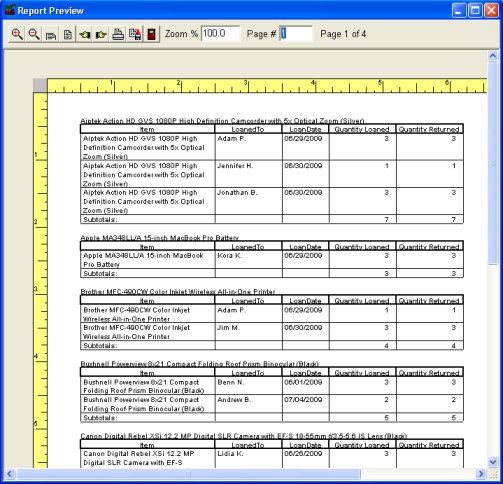
Print circulation reports from the loan database:

2. Easily catalog equipment/tools, borrowers.
Easy to use for the beginner, feature-reach and powerful enough to satisfy advanced users.
3. Search, replace data in all databases
With our database software, you are able to locate a piece of text in any field with the capability of moving to the next record filling your search criteria.
The Bar Code Search function helps you to locate the record that has been assigned a particular barcode (or any number in the text form). Simply scan the barcode (or enter manually) and the program finds the record automatically.
Additional search features: incremental search, search online, find duplicates, non-stop search.
4. Print usage/circulation reports
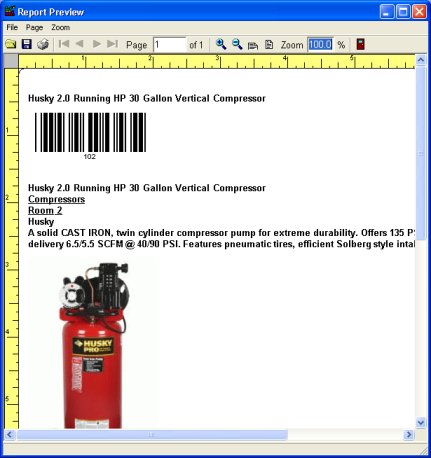
Report wizard lets you create quality, professionally looking documents, inventory lists, item circulation reports, inventory reports, employee lists, employee directory, activity summaries, and more. You can define the report characteristic (color, size, margins, graphics,.. ), report layout , report sections (header, footer, ...). You can save settings to a template for future reuse.
Preview report, equipment and tools usage activity report by employee
Preview report, equipment and tools usage report by item name
5. Print labels
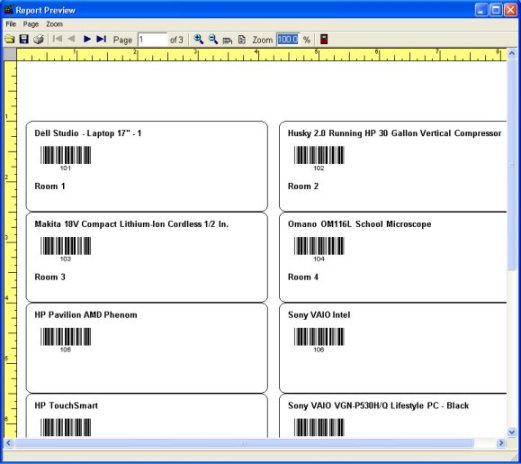
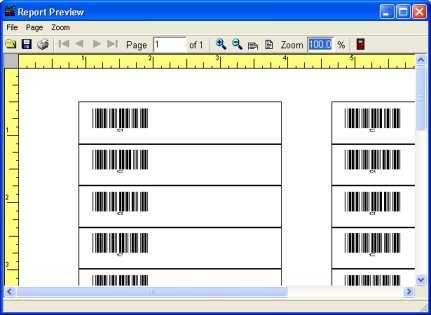
Print Label Wizard lets you print selected fields on any label. There are already templates for all American and European Avery label formats, there are also predefined templates for specialized barcode labels. Print Label Wizard supports the most popular barcode types used by renting facilities.
Preview labels: title, barcode, barcode number, storage place.
6. Enter, modify, view data
Standard Record View pages allow you to easily enter, modify records and generate data specific commands.
Table viewer: View and process your data in rows and columns using table viewer.
Browser viewer: View your data in virtually any way using browser viewer and html templates.
9. Network/Multi-User, Backup, HTML wizard
Network/Multi-User: You can use our software on your network, or you can create any number of accounts for users who share the same computer and would like to have their own databases.
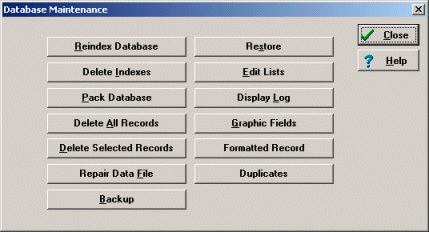
Backup data: There is a set of useful functions that allow you to protect your databases.
10. Database Solution Add-ons
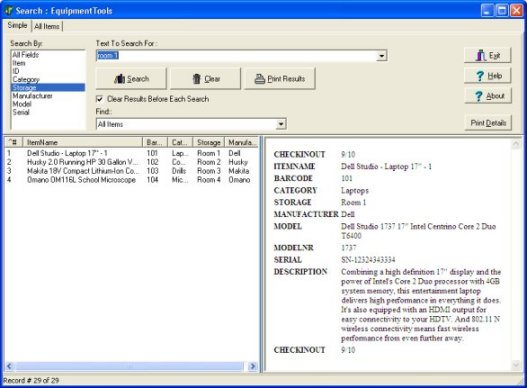
Search Utility (OPAC)($45, multi-user license included): Inventory Search Utility allows your employees to search rental items without launching main database. Your databases are protected from unwanted modifications or deletions:
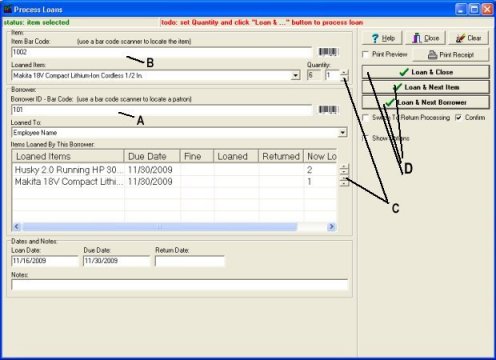
Check In/Out Module: Check In/Out module is a stand-alone application. Check In/Out Transaction module allows to process loan and return transactions without launching main software. Your databases are protected from unwanted modifications and users. Scan borrower id barcode number (A)(or enter id manually), scan item barcode number (B) (or enter manually), enter quantity loaned (C), click action button (D) (barcode entry mode):
Database Designer: supports modification and customization of database templates included in our software solution. Designer supports creation of new databases. Designer supports extension of your system with database templates from our Solution Center.