This feature is new in all Organizer Deluxe and Organizer Pro database solutions.
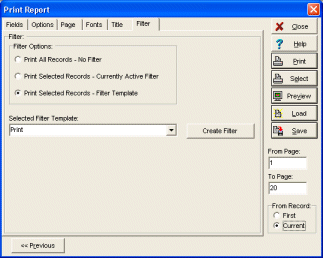
New Filter tab in both Print Standard Report and Print Labels. This feature allows you to define or load filter directly in the Print Wizard. There are 3 filter options: 1) Print All Record - No Filter.
2) Print Selected Record - Currently Active Filter (works like before).
3) Print Selected Records - Filter Template (you can select a Filter Template from a drop-down list). Create Filter button opens the Filter dialog box where you can create a new filter template.
Filter in Print Report and Print Labels