
Database Management FAQ : Database Record Management : Create New Record
Question/Topic: How to create a new record?
Step 1.
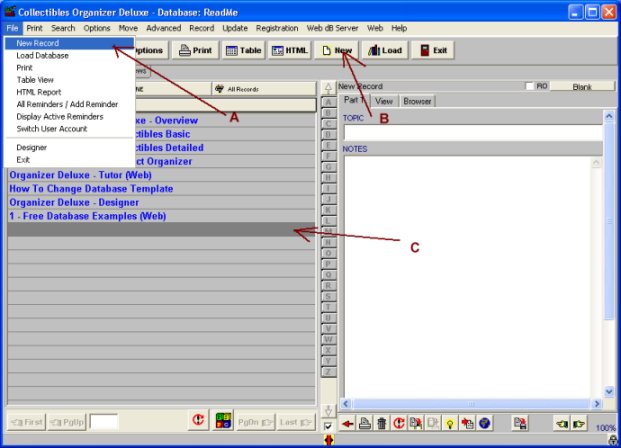
To create a new record:
Step 2.
Step 3.
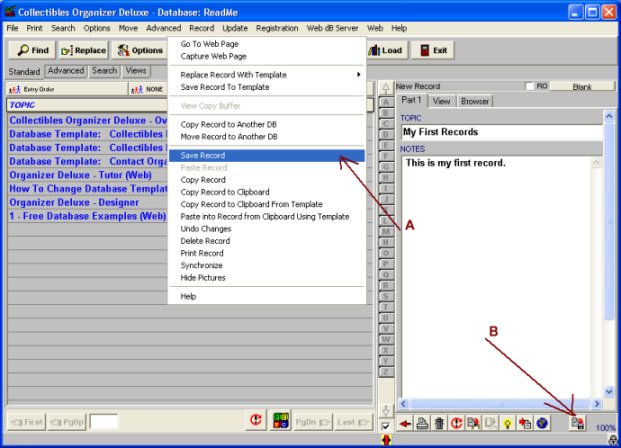
To save data:
Notes:
If you do not enter any information the new record will not be saved.
Related software (Read/Download) :
Organizer Deluxe Series
Organizer Pro Series
Related Topics ...
How to find duplicate records?
Related software (Read/Download) :
Organizer Deluxe Series
Organizer Pro Series