
Question/Topic: Make the software ready for Web Search (books, dvds, videos, cds,..)?
Requirements for Web Search (search books by isbn, search videos and dvds by UPC, search cds by UPC).
If you upgraded to the newest version of the program and your old version was lower than the versions specified above your upgrade is still not ready for the web search. It does not have scripts intalled on your computer.
Web Search Script installation instructions:
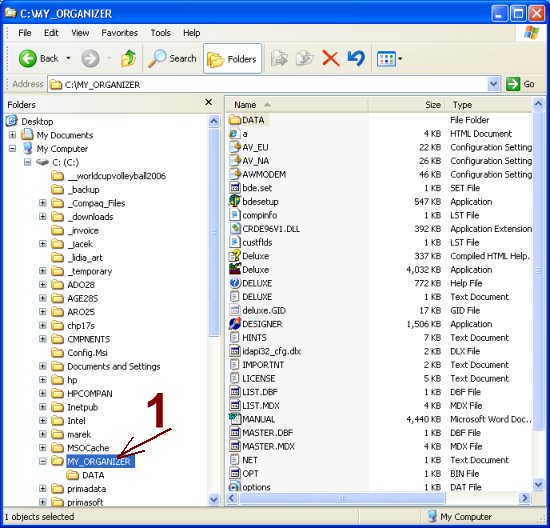
1. Create Scrips folder.
Windows Explorer, Organizer folder, MY_ORGANIZER stands for the name where you installed your software.
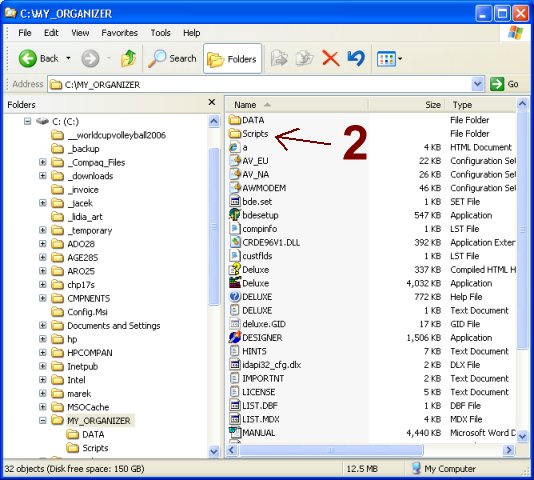
Windows Explorer, a new folder SCRIPTS is created.
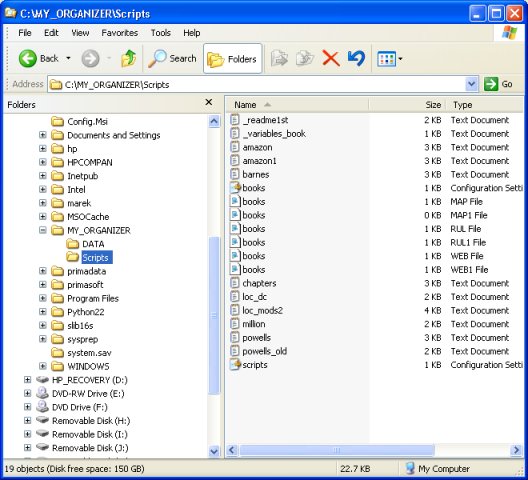
1. Download and extract script files..
Windows Explorer, Scripts folder contents after the extraction of the downloaded script file (book organizer scripts).
Related software (Read/Download) :
Small Library Organizer Pro
Church Library Organizer Pro
Related software (Read/Download) :
Small Library Organizer Pro
Church Library Organizer Pro
Book Organizer Deluxe