
/ Music Library Organizer Pro / Tour Page: 3. Search, replace
database software for Windows 8, 7, Vista, XP (Windows 11, 10 compatible)
3. Search, replace
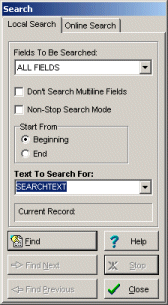
The Local Search function helps you to locate records that contain the piece of data you are looking for. With this software, you are able to locate a piece of text in any field with the capability of moving to the next record filling your search criteria. Example: search by artist name, album title, composer name, gender,..
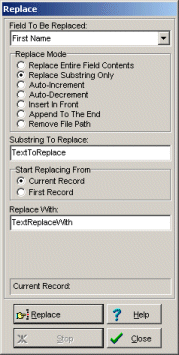
The Replace function helps you to replace the entire or the part of the field's content with a new value. This function is useful for users who want to make global changes on the selected field in the entire music database. Example: use replace feature to create cd barcode/id values for all your records.
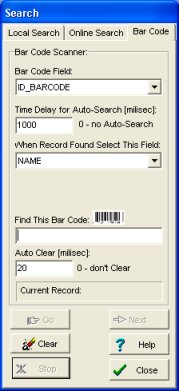
The Bar Code Search function helps you to locate the record which has been assigned a particular barcode (or any number in the text form). Simply scan the barcode (or enter manually) and the program finds the record automatically.
Additional search features: database incremental search, search online, find duplicates, non-stop search.
Incremental search: Entering a character into the Fast Find edit box will result in the immediate action (Incremental Search).
Search Online: define online search engines in the program, to use them later you will enter only a search text and click OK.
Non Stop Search: the library software goes through entire database looking for records that match search criteria. When the search is finished ONLY those records are displayed that contain the text.
Find Duplicates: this function allows you to display and/or delete duplicate library records based on a selected data field. For example, you can easily find and eliminate records with the same album, cd, tape,.. title.
1. Music Library management solutions
2. Create, customize database solution
3. Search, replace Library records
5. Print labels (spine labels, barcode labels, cd labels,...)
6. Enter, modify data, auto cataloging
12. Summary, graph, statistics
13. Personalize, customize software
15. Network, multi-user, HTML wizard