
Library Software FAQ> Auto-Cataloging, Web Search> How to retrieve information from the browser, direct search.
Question/Topic: How to retrieve information from the browser (Direct Search)?
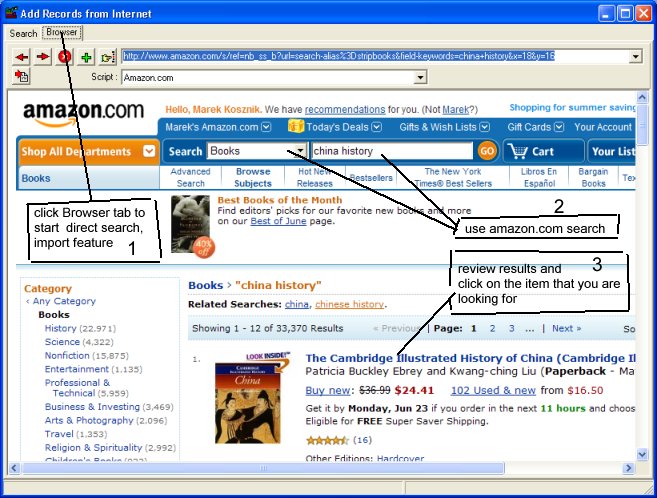
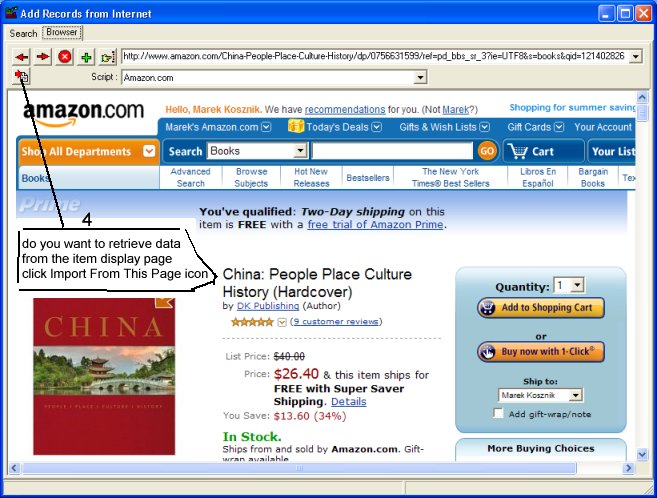
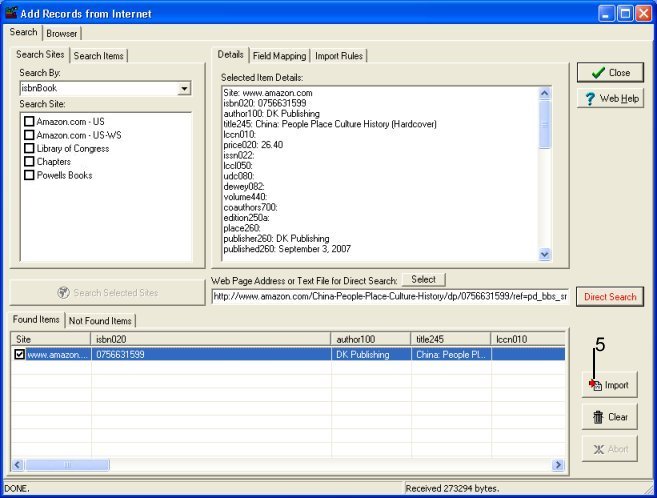
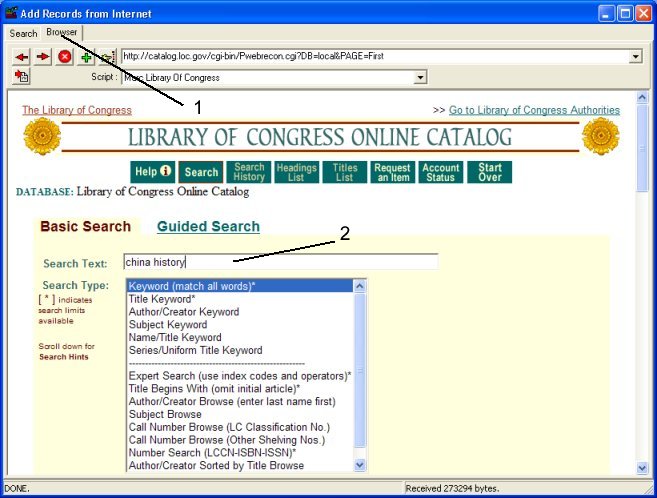
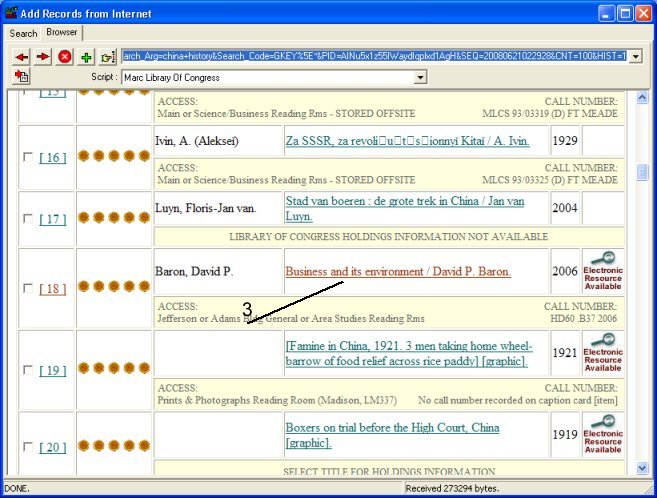
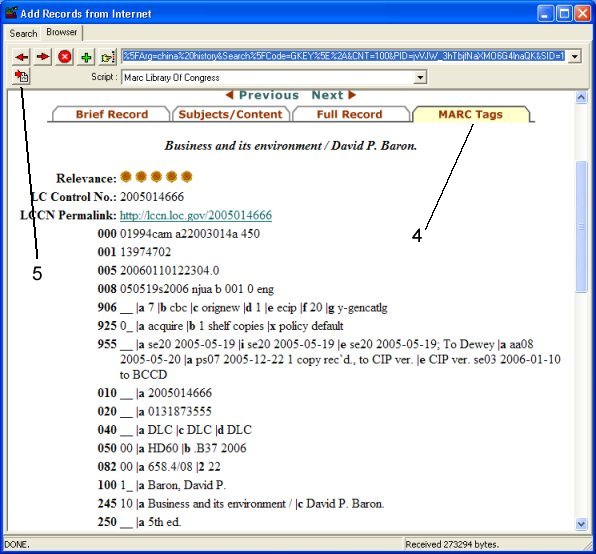
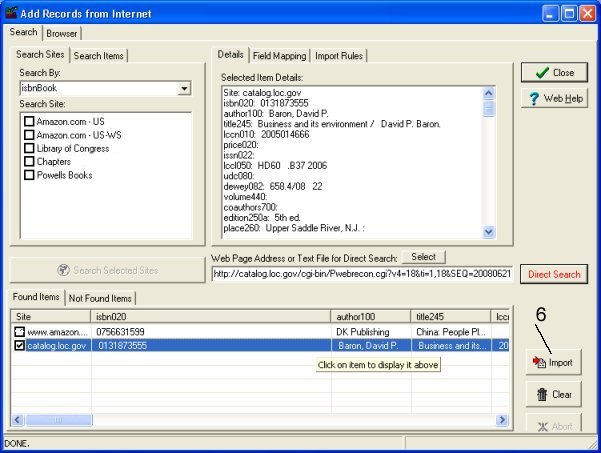
September, 2014:Direct Search: use online search engine (example: Library of Congress, Amazon.com). Transfer book, movie, cd, resource data from the browser to library database. You can use predefined search sites and search scripts (Amazon.com, Library of Congress) or you can define and add new ones.
Amazon.com direct search and automated cataloging:
Library of Congress direct search and automated cataloging:
questions:
How do you search the Internet to find a book when you
don't know the ISBN number? We have a lot of older books that were printed
before they were assigned an ISBN. When I demoed the program for the Librarian
today she liked the ISBN look-up for downloading data but pointed out that that
would only work with books that had an ISBN.
Related software (Read/Download) :
Small Library Organizer Pro
Simple Library Organizer Pro
Related Topics ...
How to move the web search results to your database (field mapping)?
How to import only a group of search results (Import Rules)?
Related software (Read/Download) :
Small Library Organizer Pro
Simple Library Organizer Pro
Church Library Organizer Pro
List of Small Library Software