
/ Asset Organizer Deluxe / Tour Page: 1. Asset management solutions
Windows
1. Asset management solutions
PrimaSoft Asset Organizer Deluxe allows you to organize, manage, and track any kind of assets (IT assets, valuable equipment, tools, machinery, devices, any items). You can enter the following information about your assets: item name, entry date, asset identification or serial number, asset tag number, category, location, department, assigned to person name (asset custodian), asset condition, status, dates (date in service, last inventoried, purchase date, last evaluation date, disposal date,..), asset details, notes, manufacturer, model name, model number, vendor, maintenance information, picture, custom fields, simple check in/out, and more.
Asset database, simple solution: organize all your assets information.
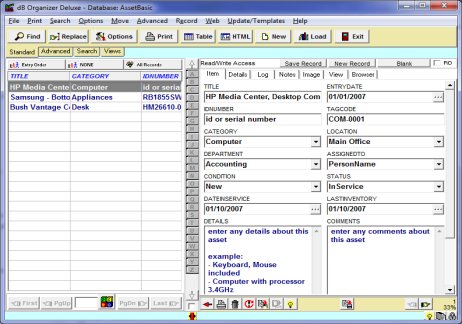
Asset database, simple solution: organize all your assets information. Enter details about your assets.
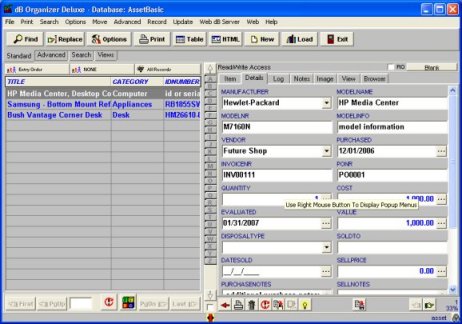
Asset database, detailed solution: organize all your assets information. Enter leasy, warranty, service data.

Additional software solutions: visit software center with over 100 ready-to-use database templates.
4. Print reports, HTML reports
12. Summary, graph, statistics
15. Network, Multiuser databases