2. Church Library features
Library check-in check-out transactions
Catalog items by ISBN number, UPC code (auto cataloging, web search)
Print barcode labels
Print spine labels with call numbers
Categorized Due Date period.
Loan Manager
Reservation Manager
Mamber/Patron Id Cards
Simple-Checking (Self Checking)
Fine processing (optional)
Library check-in check-out transactions
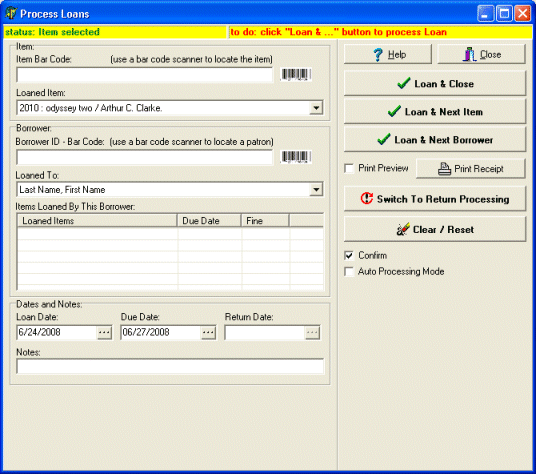
You can check-in and check-out library items in the following ways:
-
Manually by selecting the item title and the borrower name from the list boxes
-
Manually by typing in the first letter of the item title and the borrower name (library system will try to select correct items based on your entry)
-
Manually by typing in the barcode of the item and the borrower (you can type in barcode numbers and the library system selects the item and the borrower based on your entry)
-
Automatically using barcode scanner and barcode labels.
Catalog inventories by ISBN number, UPC code (auto cataloging, web search)
Easily and quickly catalog your books, cds, and videos (type ISBN numbers, scan ISBN barcodes, type UPC codes, scan UPC codes).
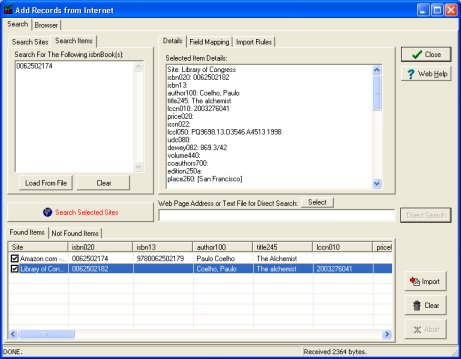
How to find items on the web and catalog them automatically?
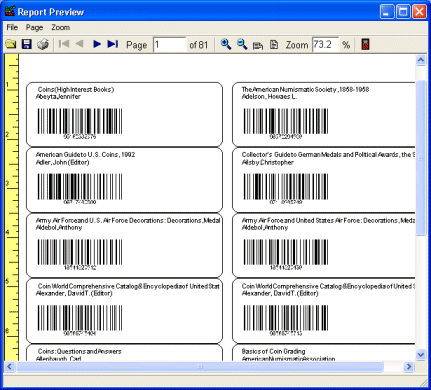
Print barcode labels
Print Label Wizard lets you print selected fields on any label.
Print spine labels with call numbers
Print Label Wizard lets you print spine labels on many different label formats.
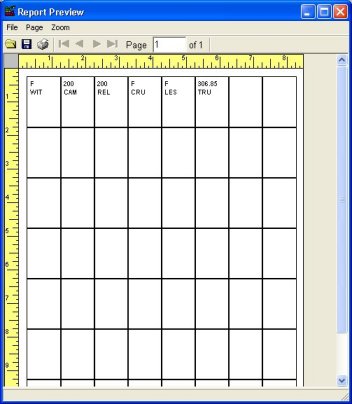
How to print spine labels?
Categorized Due Date period
How to define categorized due date period? (library faq topic)
Loan Manager
In Loan Manager window you can:
- display/print list of library members with overdue items
- display/print list of library members with outstanding items
- display/print overdue/outstanding items by selected borrower
- send email overdue notices or print overdue notices
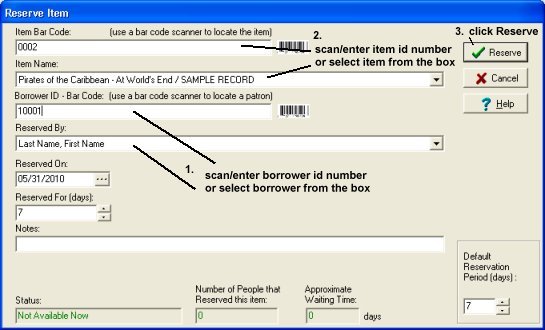
Reservation Manager
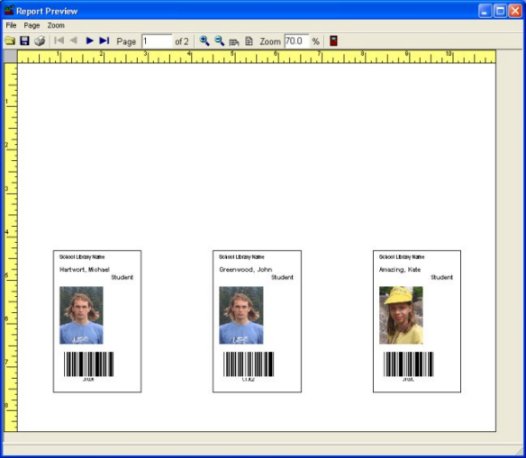
Library Mamber/Patron Id Cards
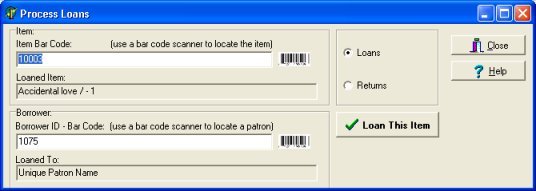
Simple-Checking (Self Checking)
We have students, volunteer beginner librarians that process loans/returns for the library. How can I allow them to process loans/returns in a very simple way?
Our answer: Library Simple-Checking/Self-Checking Module:
Fine processing (optional)
