
Organizer Advantage is powerful yet easy to use database manager for Windows.
Advantage Designer lets you modify our solutions or easily create new databases.
Take control of your data with our simple or buinsess database software solutions.
| Organizer Advantage HowTo/Help | Designer HowTo/Help |
Advantage Help > Search > How To > How to use the replace feature and create barcodes?
How to Automatically Create Barcode Numbers for All Records
This step-by-step guide shows how to use the Replace / Create Barcode feature to automatically generate uniform barcode values and populate them into a barcode field across all records in a table. Once created, those values can be printed directly onto barcode labels.
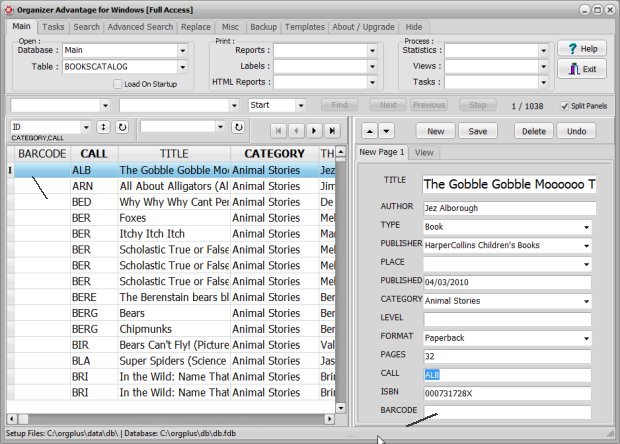
Open Organizer Deluxe with the BOOKCATALOG table. The barcode field values are empty.
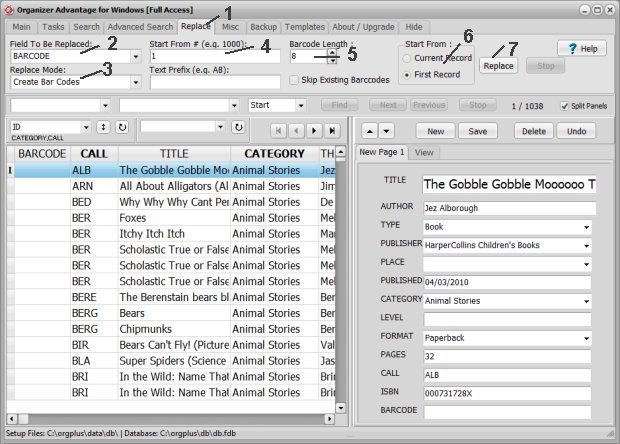
On the Replace toolbar section (1) define the replace settings. Select BARCODE in the Field To Be Replaced box (2). Choose Create Barcode in the Replace Mode box (3). Enter 1 in the Start From box (4). Select 8 in the Barcode Length box (5). In the Start From section select First Record (6). Click the Replace button (7) to start.
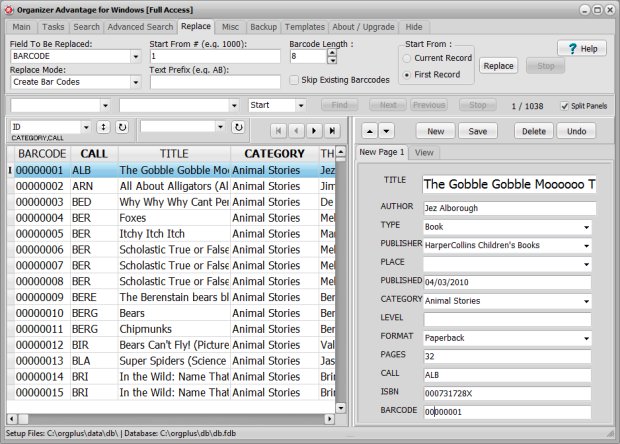
The search/replace result, all records with new barcode values:
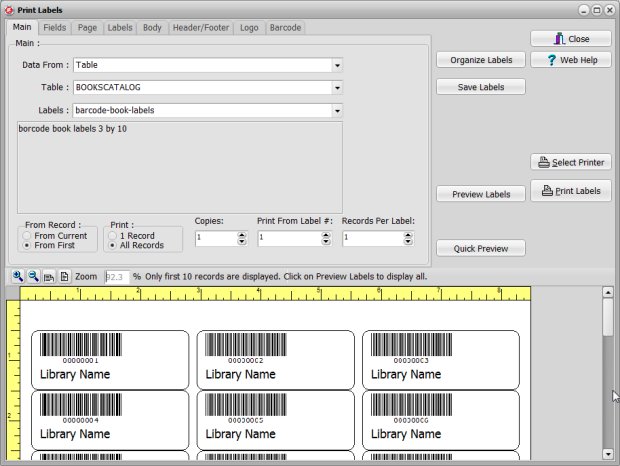
We can use the value from the BARCODE data field on the barcode labels.
Copyright © 2026 · All Rights Reserved · PrimaSoft PC