
Organizer Advantage is powerful yet easy to use database manager for Windows.
Advantage Designer lets you modify our solutions or easily create new databases.
Take control of your data with our simple or buinsess database software solutions.
| Organizer Advantage HowTo/Help | Designer HowTo/Help |
Advantage Help > Search > How To > How to use today's date in the Advanced Search feature
How to Use Today's Date (CURRENT_DATE) in Advanced Search
This guide shows how to write a date-based Advanced Search query using the Firebird SQL CURRENT_DATE function -
for example, to display only records from the last 30 days. You'll also learn how to save the query as a reusable template
that can be run directly from the Quick Filter box at any time.
The visit date value is entered into the VISIT_DATE field.
Define a regular search query with ready to use selection boxes (1). Review the syntax of the query in the search box (2).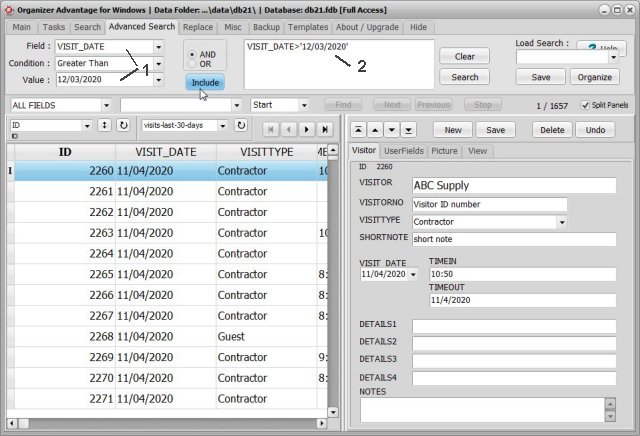
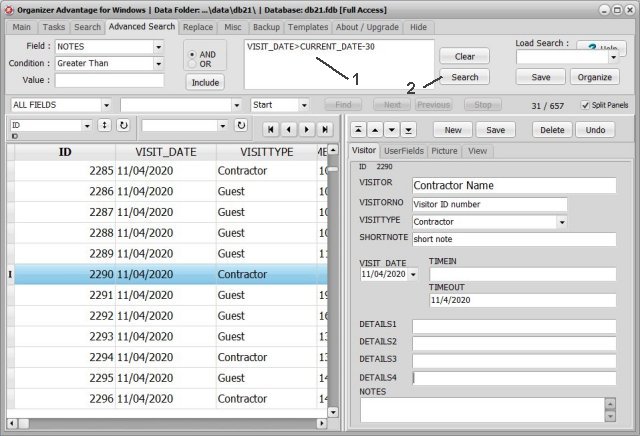
You can edit the search definition in the search box (1).
Type in VISIT_DATE>CURRENT_DATE-30. Click Search (2) to execute the search.
It will display all visits that took place in the last 30 days.
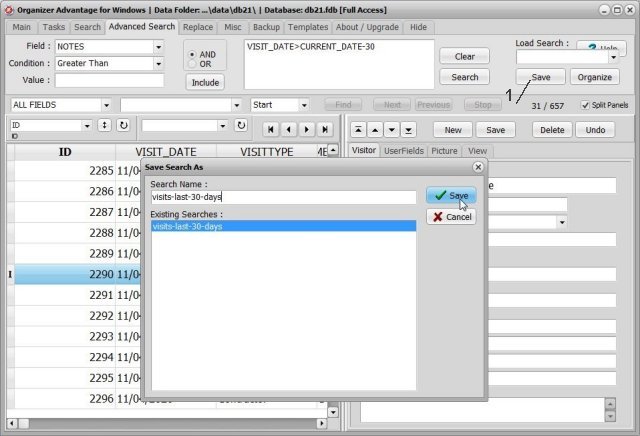
You can save the search definition for future use. Click Save to save the search.
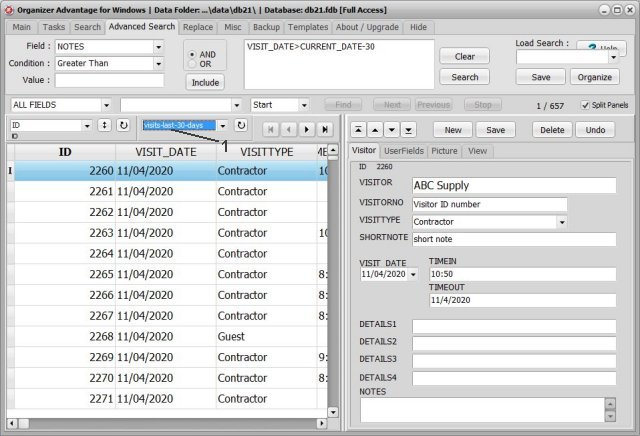
Execute the saved search from the Quick Search (Filter) box (1).
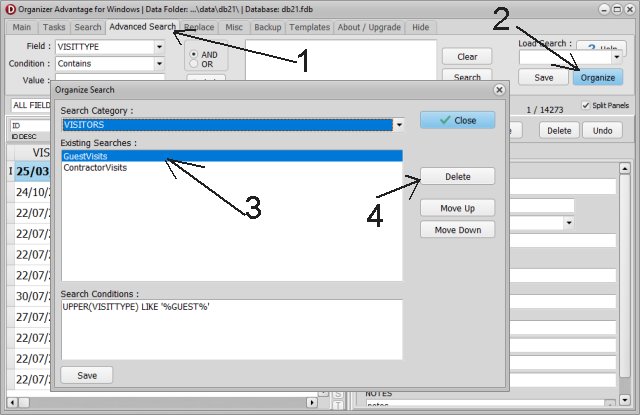
You can rearrange predefined searches (filters) or remove those no longer needed.
Copyright © 2026 · All Rights Reserved · PrimaSoft PC