
Question/Topic: Simple Equipment/Tools Inventory solution, how to start?
Enter equipment/tools data:
Enter employees, members, students, job sites, ...:
Databases:
Process check out and check in transactions:
Equipment/Tools Search:
Labels:
Supplies:
Other topics:
Step 1:
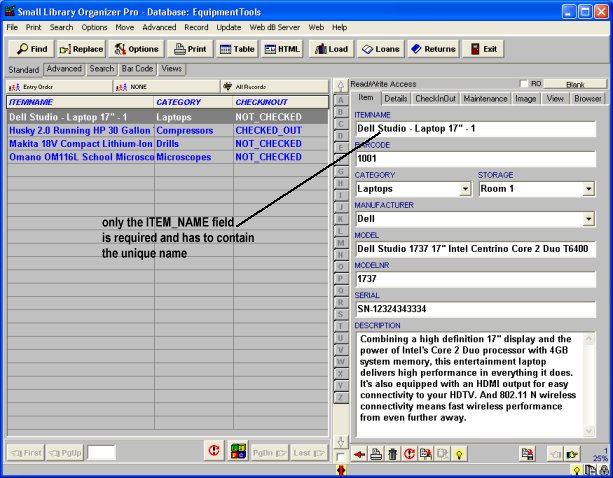
Enter your equipment items into EquipmentTools database.
Requirements:
We know that some tool cribs do not use barcode scanners and barcode labels when processing check in/out transactions. In order to support this feature our inventory system requires unique entry into ITEM_NAME field.
If you have 2 or more items with the same name, enter them in the following way:
"Makita 18V Compact Cordless Drill - 1"
"Makita 18V Compact Cordless Drill - 2"
Notes:
Enter your equipment and tools data
Step 2:
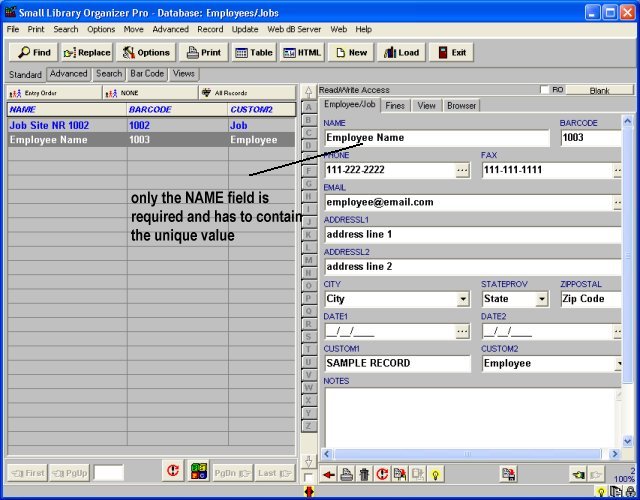
Enter your employee and job data into Employees/Jobs database.
Requirements:
We know that some tool/equipment facilities do not use barcode scanners and barcode labels when processing check in/out transactions. In order to support this feature our inventory system requires unique entry into NAME field.
If you have 2 or more borrowers with the same names, enter them in the following way:
"John Green 1"
"John Green 2"
Enter your employees and jobs data
Step 3:
Define due date, fine(optional) and barcode(optional), and other parameters that you would like to use when processing check in and check out transactions.
Step 4:
Your equipment/tool inventory system is ready to process check in and check out transactions.
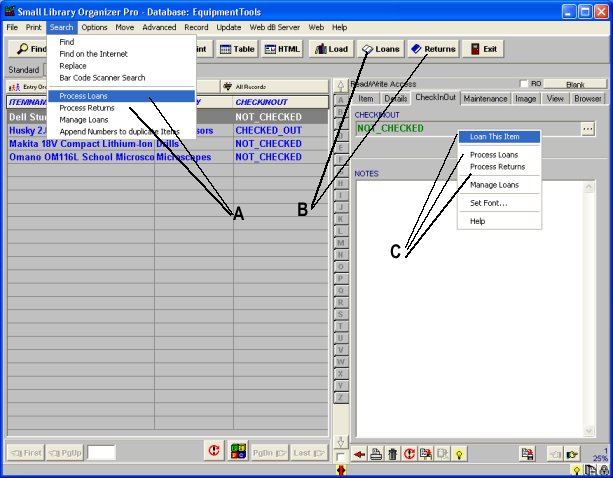
Three easy ways to access Equipment/Tools circulation features (landing tools, checking in tools) (Start Equipment Organizer Pro solution and load Equipment/Tools database)
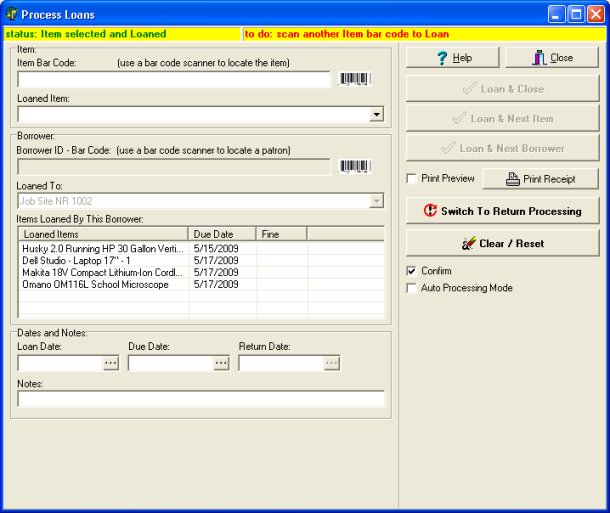
Check In/Out Transaction module allows to process loan / return transactions without launching main inventory system. Your databases are protected from unwanted modifications and users.
Related software (Read/Download) :
Equipment Inventory Database
Related Topics ...
Equipment/Tool Inventory System, How to define Barcode and Fine functionality?
Simple Equipment/Tools Inventory solution, how to define due date?
Related software (Read/Download) :
Equipment Inventory Database