
Organizer Advantage is powerful yet easy to use database manager for Windows.
Advantage Designer lets you modify our solutions or easily create new databases.
Take control of your data with our simple or buinsess database software solutions.
| Organizer Advantage HowTo/Help | Designer HowTo/Help |
Advantage Help > HTML Report Wizard > Save, Load, Organizer
easy-to-use database manager and database designer for Windows
- Organizer Advantage
- Getting Started Videos
- Main Window
- Tabbed Toolbars
- Add Data
- No Limits
- Reports
- Labels
- Search, Replace
- HTML Reports
- HTML Wizard
- HTML Wizard Window
> Save, Load
- Folders
- HTML Layout, CSS
- How To .. - Import, Export
- Free Data Setup
- Backup, Restore
- Options
- Statistics, Views
- Solutions
- Templates
- Add-Ons
- Install, Network
- Web Search, Add Data
- Premium
- Upgrade, Update
- Organizer Deluxe, Pro Users
- More
Save and Load HTML Report Wizard Settings as Templates
When you generate multiple different HTML reports, you can save each configuration as a named template so it can be reloaded in one click. This page shows how to save a template with a name and description, and how to select and load a saved template from the Existing Templates list.

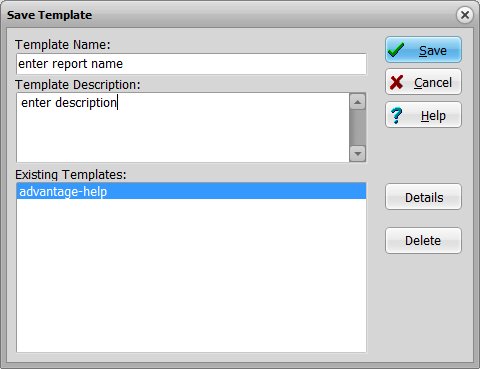
To save a template:
Enter a template name and description, then click Save.
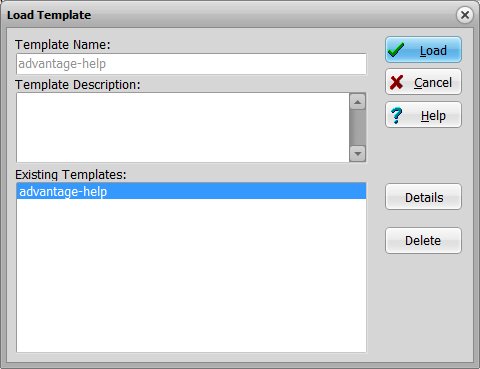
To use a saved template:
Select the desired template in the Existing Template box and click Load. The report settings will be automatically loaded
into the HTML Report Wizard window.
Copyright © 2026 · All Rights Reserved · PrimaSoft PC