
Organizer Advantage is powerful yet easy to use database manager for Windows.
Advantage Designer lets you modify our solutions or easily create new databases.
Take control of your data with our simple or buinsess database software solutions.
| Organizer Advantage HowTo/Help | Designer HowTo/Help |
Advantage Help > Solutions > Museum Suite > Military Museum
- Organizer Advantage
- Getting Started Videos
- Main Window
- Tabbed Toolbars
- Add Data
- No Limits
- Reports
- Labels
- Search, Replace
- HTML Reports
- HTML Wizard
- Import, Export
- Free Data Setup
- Backup, Restore
- Options
- Statistics, Views
- Solutions
- Solutions
> Museum Suite
- Heritage Collection
> Military Museum
- Art Tracker
- Fine Art Gallery
- Built-in Help
- GDPR Erasure Ledger
- Templates
- Add-Ons
- Install, Network
- Web Search, Add Data
- Premium
- Upgrade, Update
- Organizer Deluxe, Pro Users
- More
Military Museum
The Military Museum solution is a specialized framework and app for Windows PCs designed to document and manage the unique complexities of martial history. It provides dedicated windows for tracking the provenance of service-related artifacts, ensuring that the connection between an object, its wearer or user, and the specific historical conflict remains intact. From technical weaponry specifications to the delicate preservation of textile uniforms, this solution ensures comprehensive lifecycle management for military heritage.
| Topic | Description |
|---|---|
| Purpose | Provides a standardized framework for documenting, tracking, and preserving military artifacts, including gear, uniforms, weaponry, and archival records. |
| Data Structure | The solution is organized into five core windows: Object, Details, Status/Location, Acquisition, and Image documentation. |
| Key Military Fields | Includes specialized tracking for Service Branch, Military Unit, and Military Event to link artifacts to their operational history. |
| Our Services | We provide expert services for custom solutions and seamless data transfer from your existing spreadsheets into the Museum Suite environment. |
| Download | If the solution is not yet installed, please visit our download page to retrieve and set up your software. |
Review the entry/view pages and descriptions of data fields and samples below, and you are ready to manage your military artifacts.
1. Quick Start: Open Military Museum.
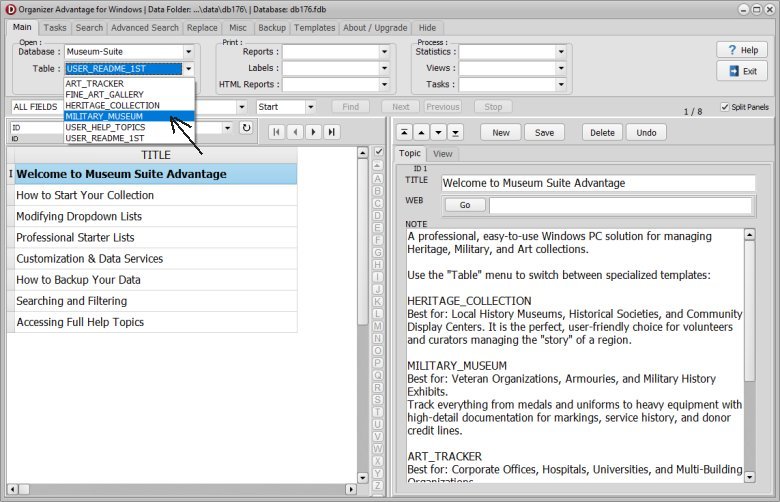
After installing the Museum Suite Advantage, click the TABLE dropdown in the software and select MILITARY_MUSEUM to load.
2. Object Page : Primary identification and classification of the item.
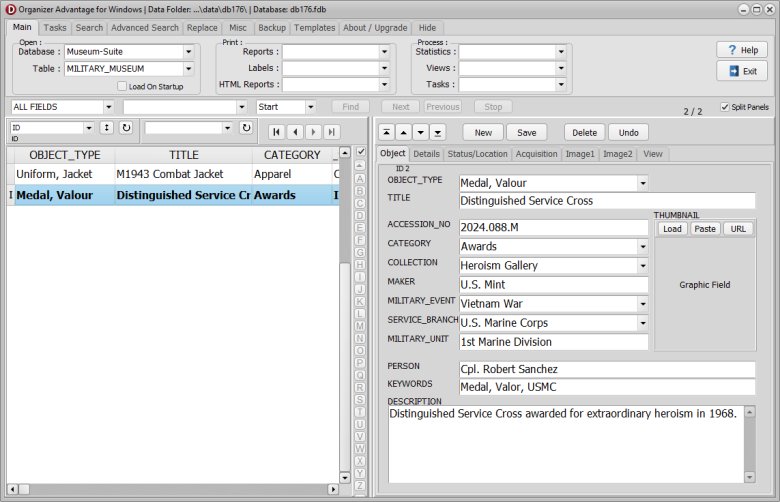
| Field Name | Explanation | Data Entry Sample |
|---|---|---|
| ID | Unique system-generated identifier for the record. | 10025 |
| OBJECT_TYPE | The general classification of the military item. | Uniform |
| TITLE | The formal name of the specific artifact. | Officer's Dress Tunic |
| ACCESSION_NO | The unique number assigned upon formal acquisition. | 2023.01.14 |
| CATEGORY | The thematic department or group. | Textiles |
| COLLECTION | The specific sub-collection or named grouping. | WWI Centennial |
| MAKER | The manufacturer, tailor, or armory that produced the item. | G.D. Tailors Ltd. |
| MILITARY_EVENT | The specific conflict or battle associated with the item. | Battle of Vimy Ridge |
| SERVICE_BRANCH | The branch of the armed forces (Army, Navy, etc.). | Army |
| MILITARY_UNIT | The specific regiment, division, or unit of the owner. | 1st Canadian Division |
| PERSON | The specific soldier or historical figure who owned the item. | Lt. John Smith |
| KEYWORDS | Searchable tags for quick filtering and indexing. | Wool, Serge, Red, Buttons |
| DESCRIPTION | A detailed physical summary of the object's appearance. | Red wool tunic with gold piping and brass buttons. |
| THUMBNAIL | A small reference image file for quick identification. | tunic_thumb.jpg |
3. Details Page: Specific physical attributes and custom user data.
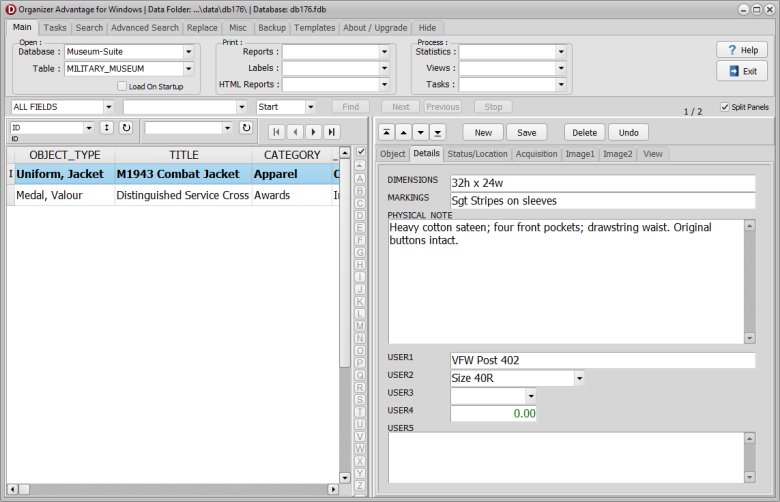
| Field Name | Explanation | Data Entry Sample |
|---|---|---|
| DIMENSIONS | The physical size (Height x Width x Depth). | 80cm x 45cm x 10cm |
| MARKINGS | Inscriptions, serial numbers, or stamps found on the item. | "J.S. 1916" on interior collar tag |
| PHYSICAL_NOTE | General observations regarding construction or materials. | High-quality weave; intact gold braid. |
| USER1 - USER5 | Custom fields for internal military museum tracking. | [Service Record Attached] |
4. Status/Location Page: Current whereabouts and physical state of the object.
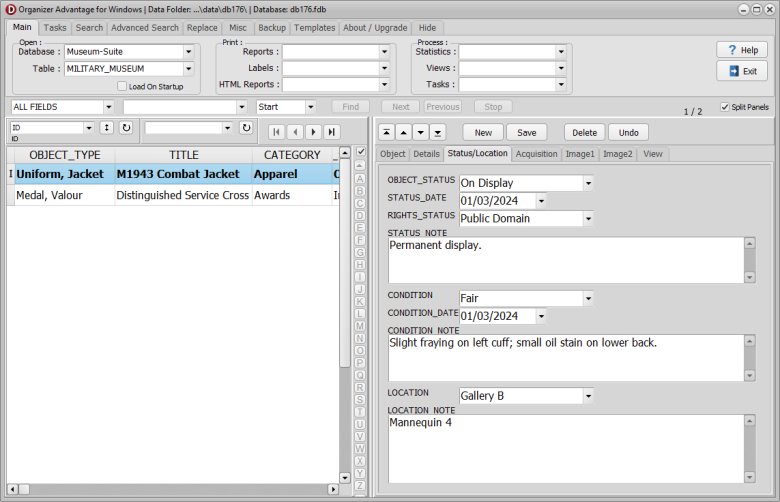
| Field Name | Explanation | Data Entry Sample |
|---|---|---|
| OBJECT_STATUS | The current state (On Display, In Storage, On Loan). | On Display |
| STATUS_DATE | The date the current status was officially recorded. | 2024-05-12 |
| RIGHTS_STATUS | The legal ownership or copyright status. | Public Domain |
| STATUS_NOTE | Additional information regarding the item's current use. | Moved for seasonal gallery rotation. |
| CONDITION | The overall physical health/preservation of the item. | Good - Stable |
| CONDITION_DATE | The date of the last formal condition assessment. | 2024-01-20 |
| CONDITION_NOTE | Specific details regarding wear, damage, or repairs. | Minor fraying on the left cuff. |
| LOCATION | The physical room, case, or shelf where the item is kept. | Gallery 3, Case 12 |
| LOCATION_NOTE | Specific instructions for finding the item. | Top shelf, left-hand side. |
5. Acquisition Page: Information regarding how the object entered the collection.
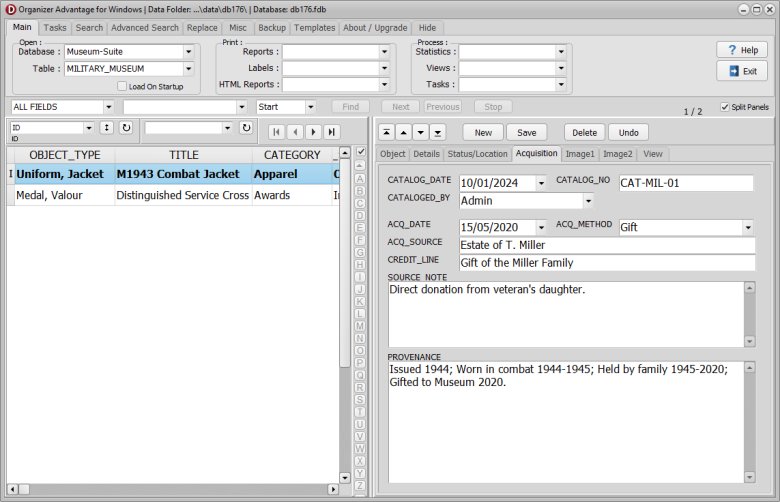
| Field Name | Explanation | Data Entry Sample |
|---|---|---|
| CATALOG_DATE | The date the item was formally recorded in the system. | 2023-02-10 |
| CATALOG_NO | An internal tracking number for the cataloging process. | CAT-882 |
| CATALOGED_BY | The name of the staff member who entered the data. | Jane Doe |
| ACQ_DATE | The date the museum physically received the item. | 2023-01-05 |
| ACQ_METHOD | How the item was obtained (Donation, Purchase, etc.). | Donation |
| ACQ_SOURCE | The person or entity the item came from. | Smith Family Estate |
| CREDIT_LINE | Official text used for public acknowledgment. | Gift of the Smith Family |
| SOURCE_NOTE | Private contact info or background on the source. | Contact: Mary Smith (Granddaughter) |
| PROVENANCE | The documented history of the item's previous ownership. | Owned by the Smith family since 1919. |
6. Image Page: Management of high-resolution visual records.
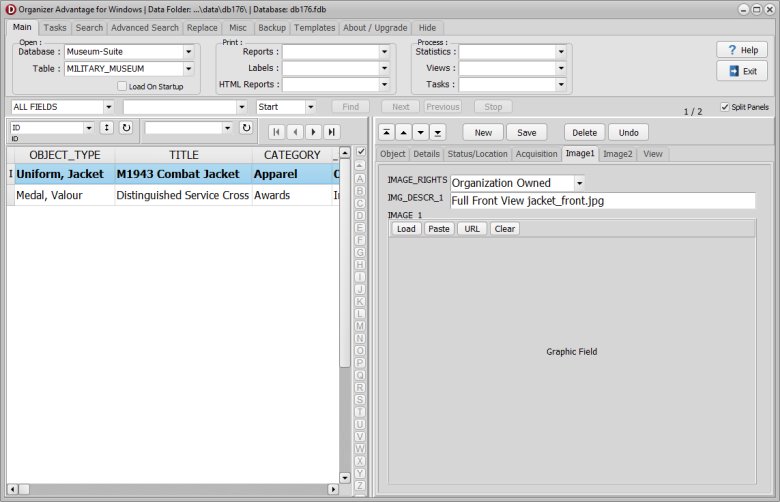
| Field Name | Explanation | Data Entry Sample |
|---|---|---|
| IMAGE_RIGHTS | Usage permissions and restrictions for the image file. | Educational Use Only |
| IMG_DESCR_1 | A brief description of the first primary image. | Front view of tunic |
| IMAGE_1 | The high-resolution file path for the first image. | tunic_front_HQ.jpg |
| IMG_DESCR_2 | A brief description of the second/detail image. | Close-up of regiment badge |
| IMAGE_2 | The high-resolution file path for the second image. | badge_detail_HQ.jpg |
Military Museum: Authority and Pick Lists.
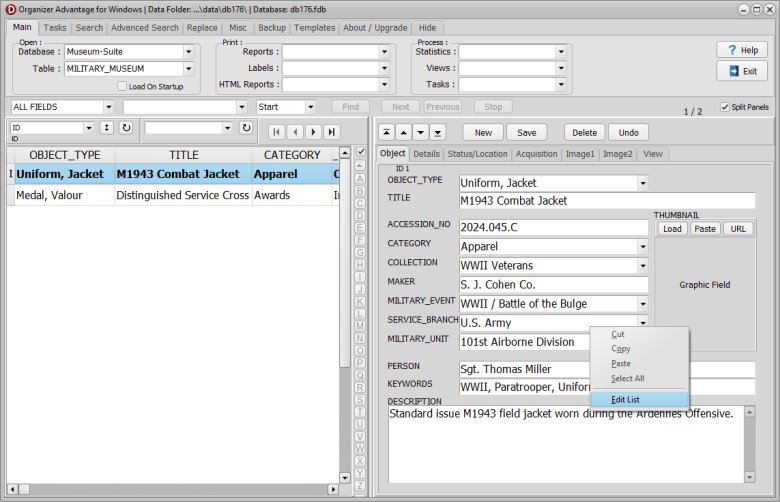
- Software comes with predefined authority and pick lists.
- You can modify them.
- Right mouse click on the box, select Edit List.
- Read this help topic to find more.
Military Museum: Images.
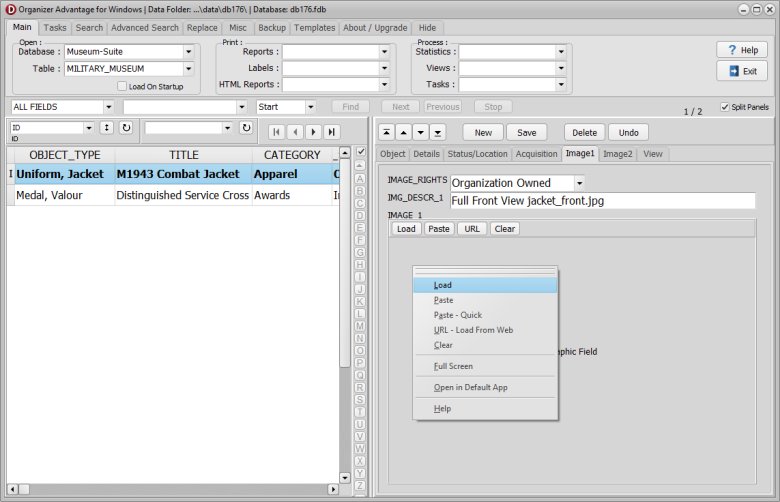
- You can enter the image of the object.
- Right-clicking the image field displays a pop-up menu with image commands.
- Read this help topic to find more.
Copyright © 2026 · All Rights Reserved · PrimaSoft PC